Bring your footage.
Import a clip or record in segments, with sessions up to 10 minutes.

For iPhone
Turn your takes into a first cut.
Make the final edit yours.
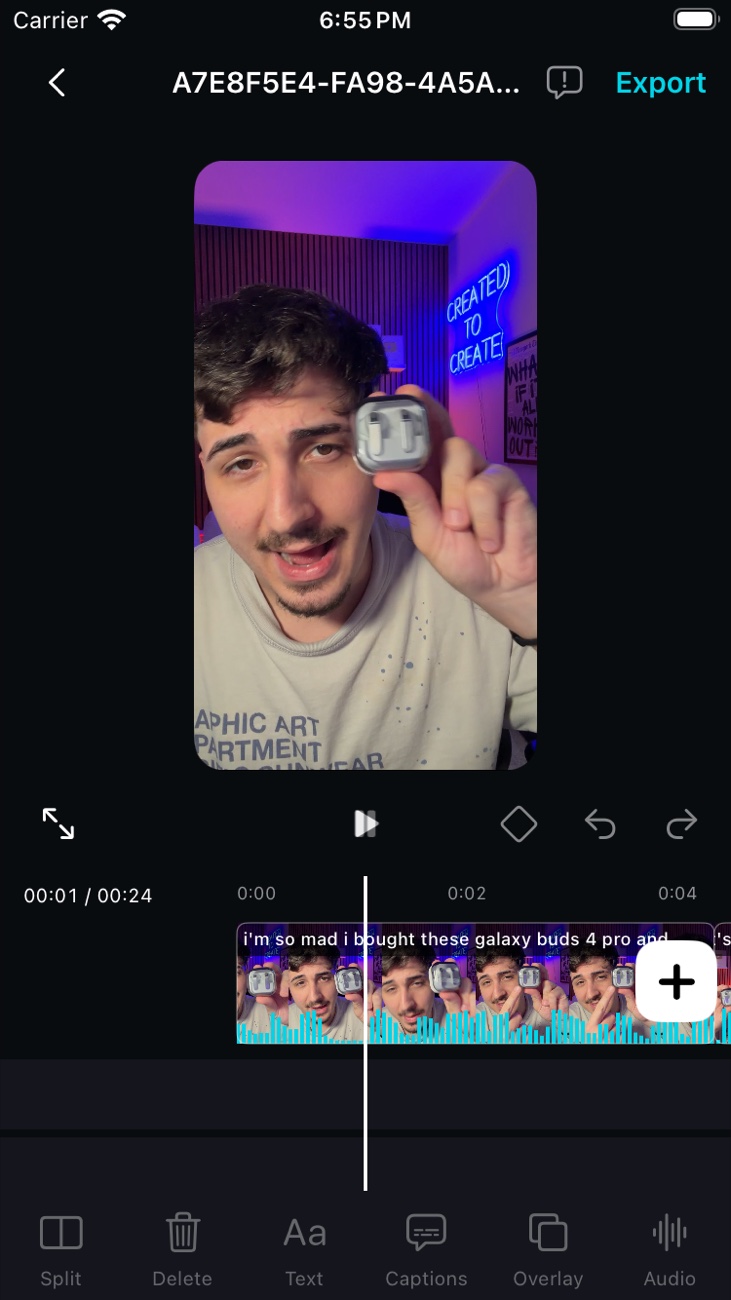
VEDIT for iOSBeta preview
How it works
VEDIT handles the first pass. You decide what stays.
Import a clip or record in segments, with sessions up to 10 minutes.
Transcription guides an automatic first cut of pauses and repeated takes.
Preview the result, delete unwanted segments, and fine-tune your trims.
Ready to share
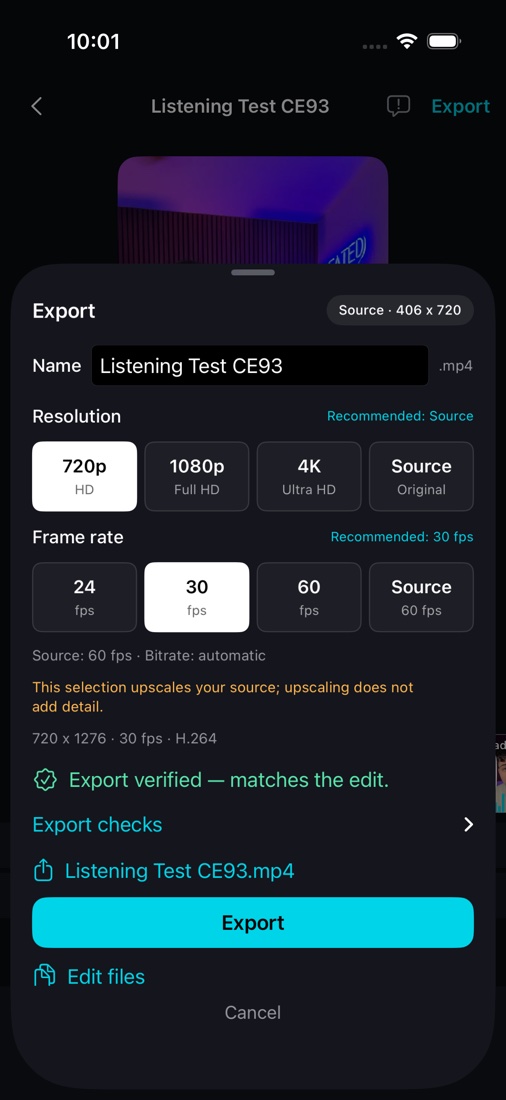
Name your video, choose the quality, and save to Photos or share.
Defaults to 1080p; 30 fps is recommended. 60 fps requires supported footage. Source matches your original settings, and exports preserve the aspect ratio.
TestFlight early access
Send us the email you'd like to use for your beta invitation.
Request an invitationSubject to availability and Apple's beta review.
An iPhone running iOS 18 or later and an internet connection for the first transcription-model download. No VEDIT account or API key is needed for default editing, which runs locally. Optional cloud suggestions send transcript text to Anthropic only if you enable them with your own key. Privacy details.
Automatic title suggestions require supported Apple Intelligence hardware and availability. Otherwise, VEDIT keeps the default name. Names are always editable.